A Conversational AI for Cars: Designing Stellantis' First LLM
Turning cutting-edge AI into a seamless, branded experience that helps users explore vehicles with confidence and ease.
Client
Stellantis (Jeep, Chrysler,
Ram, Dodge, Fiat)
Role
UX/UI Designer
Tools
Figma, Mobbin
Timeline
Overview
The Problem
When this project came to my team, the dev LLM exploration process had already begun. The foundation experience was done, but needed heavy UX and UI refinements. That's where we came along. We needed to fill in the gaps: doing a full UI overhaul that ensured our new design felt modern, cohesive, and met industry standards for AI, while also crafting intuitive UX patterns that would make the experience seamless.
Research
Though we had a limited timeline to complete this project, it was crucial for us to conduct at least some preliminary research into other conversational LLMs in the market. As such, we first conducted a competitive analysis, with the aim of identifying patterns in UX and UI and establish a baseline for the best practices to follow in Stellantis' LLM.
Competitive Analysis: UI Patterns
We analyzed popular conversational AI agents (Chat GPT, Gemini, Copilot) along with similar OEM's experiences (Hyundai) and noted predominant UI and UX patterns across these experiences.
This research was crucial in later steps when we established UI and UX requirements.
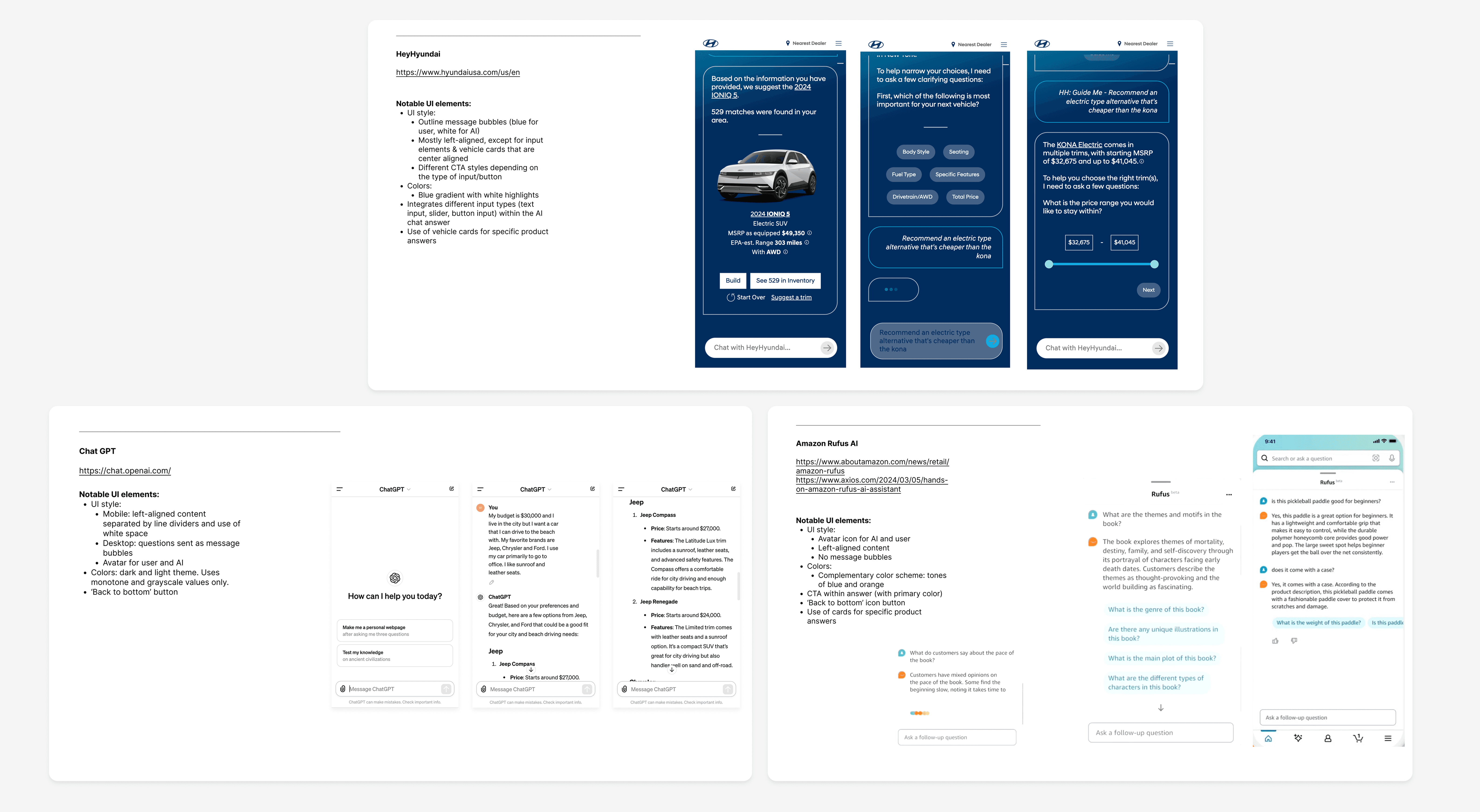
Sample of some of the competitive audits we conducted (select image to enlarge).
What we uncovered
Most LLMs fit on a scale between 'Playful' and 'Conversational' to more 'Formal' and 'Informative'.
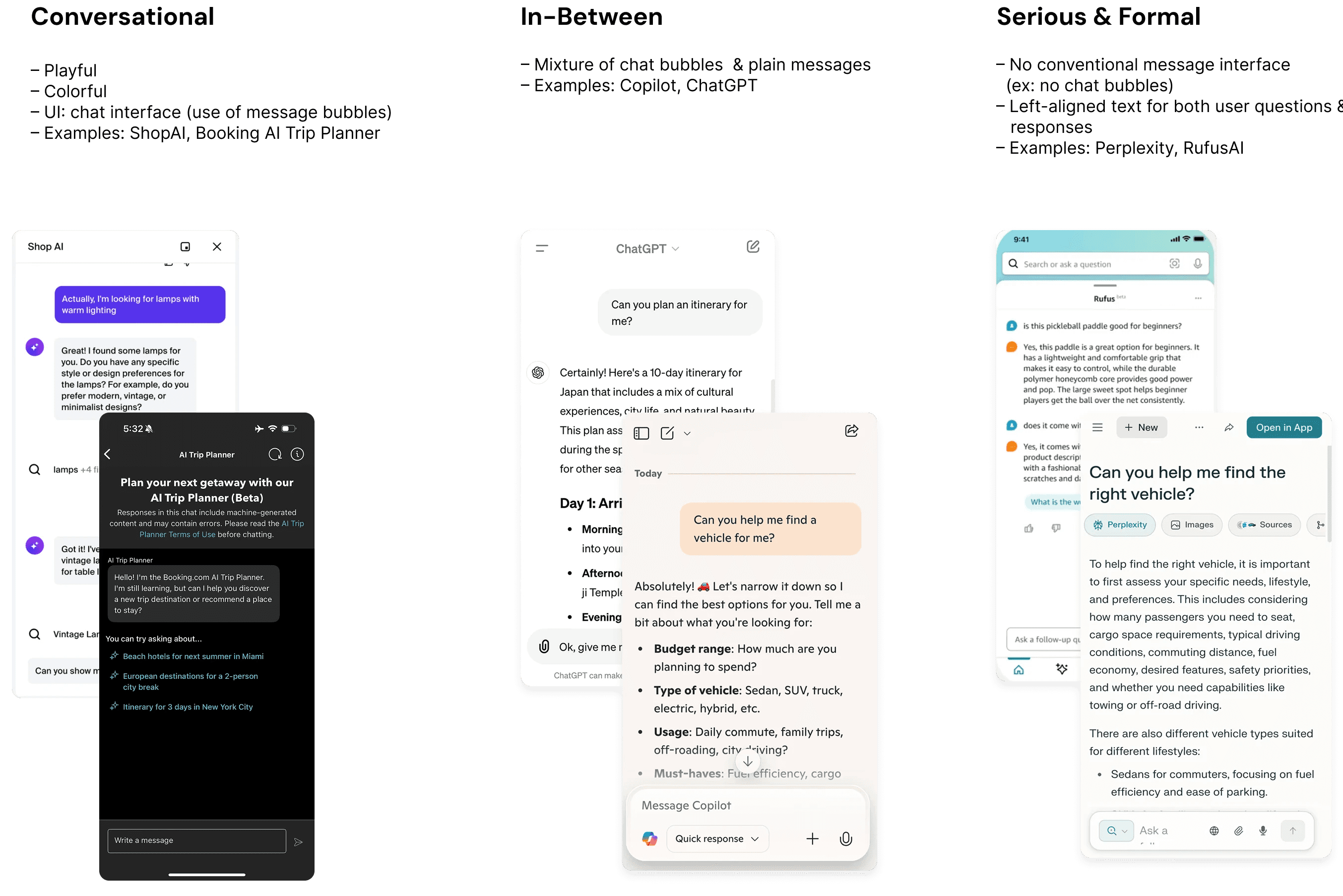
After discussing these findings with our design lead, we decided to follow a more informal and conversational tone for Stellantis' LLM, giving the impression of a human chat experience, but with the knowledge and capabilities of AI.
Define
After conducting our competitive audit, it was time to define the guidelines and requirements for the LLM. These would lay the foundation for our wireframes and higher-fidelity designs.
Defining UX and UI Guidelines
UX Guidelines
Ease of Use & Discoverability
Interactions should feel intuitive, following existing UX chat interface patterns, and requiring minimal learning or onboarding for first-time users.
Conversation content should be clear, concise, and visually scannable. The hierarchy, tone, and pacing of responses should make interactions feel natural.
Empower users through effective feedback and error handling. Ensuring transparency by making it clear that users are interacting with an AI.
UI Guidelines
Mobile-First Approach
Given that over 70% of Stellantis' page traffic comes from mobile, the interface should prioritize small-screen usability and readability, with the UI in larger breakpoints adjusting seamlessly.
Leverage common UI patterns from popular chat interfaces and other LLMs to create an intuitive interface. Provide a modern look and feel, utilizing subtle animations and visual cues to provide delight.
Adhere to the Stellantis Design System and ensure brand consistency across all interfaces. Create a flexible and modular UI framework that easily adapts to the different brands' identities.
Initial Questions List
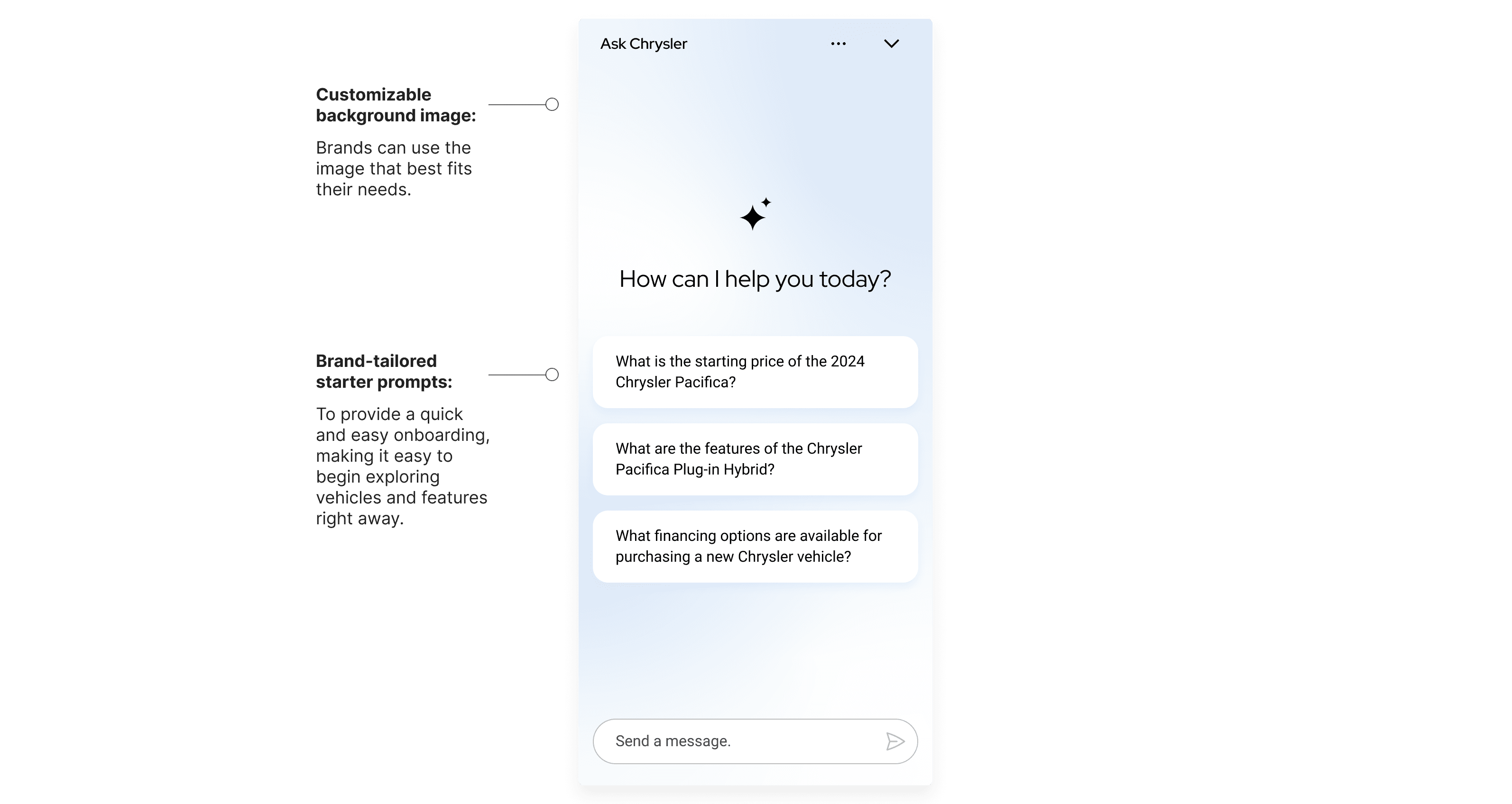
We started out by compiling a list of sample questions, grouped in different categories like Vehicle Information & Recommendations, Price inquiries, etc.
Based on these questions, we were then able to identify the types of answers we could expect the LLM interface to provide, and could design the UI elements accordingly.
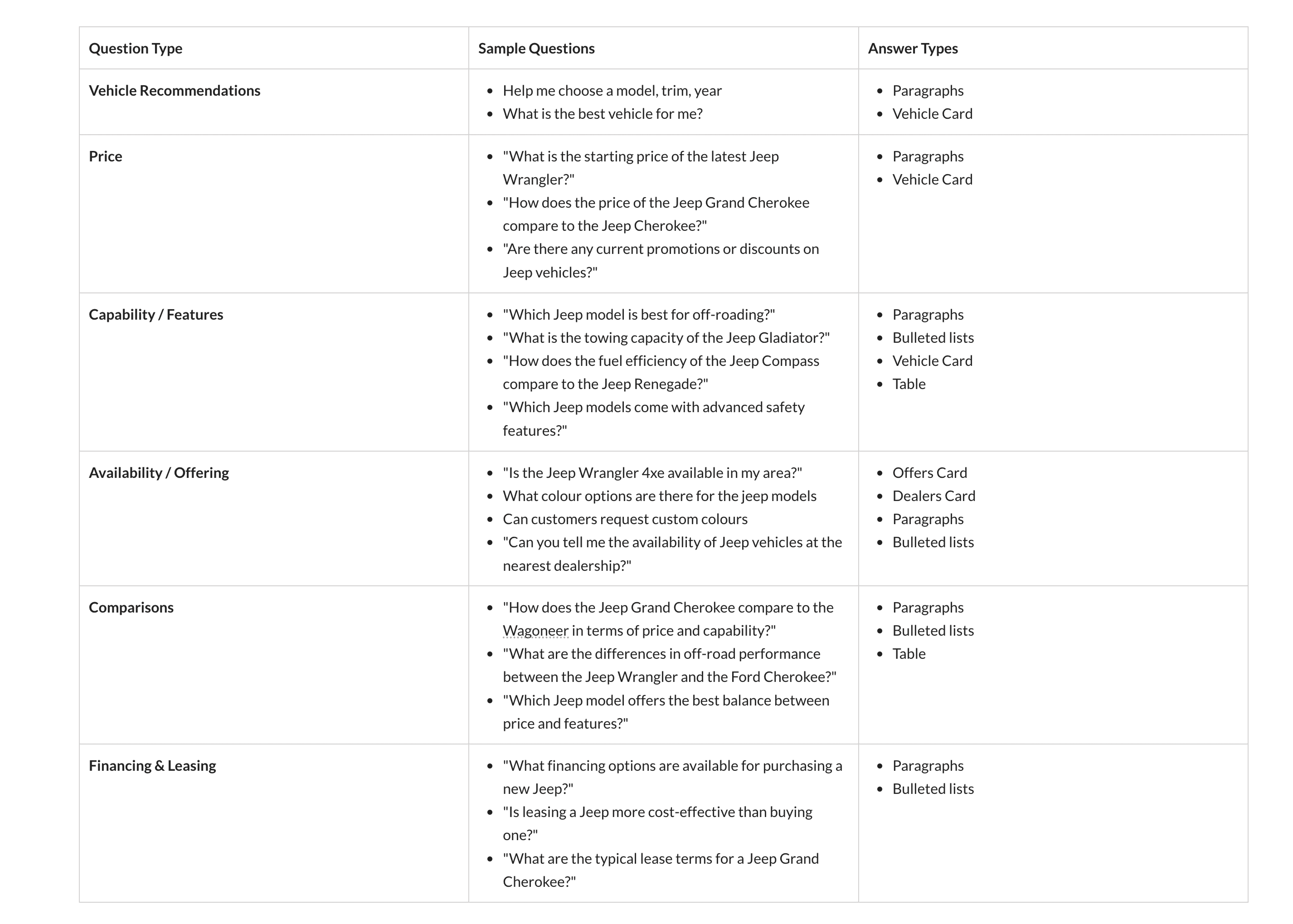
UI Element Requirements
Along with the list of questions, it was also important for us to list out the different UI elements we'd need to design for. This included aspects like:
Main UI Elements (chat interface)
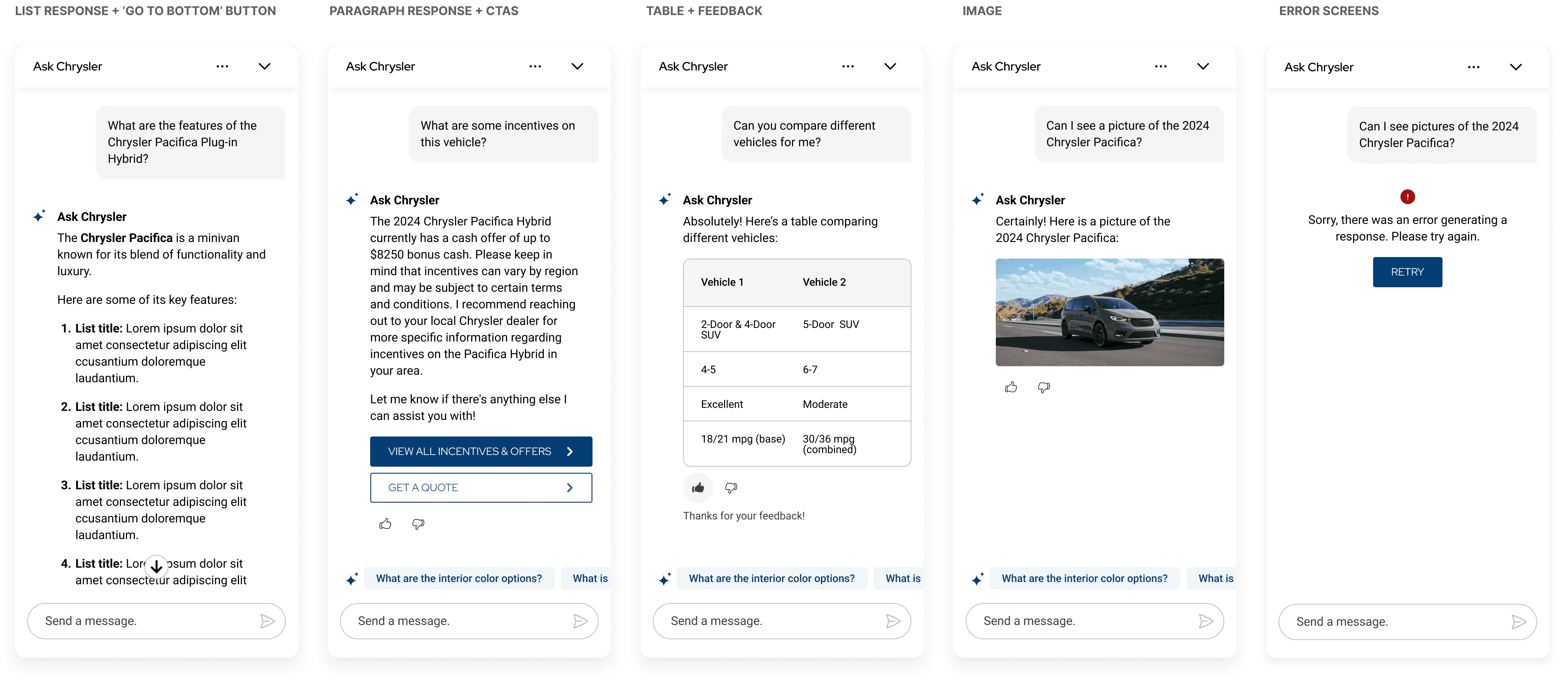
Simple Layout (rich text, tables, images)
Templated Answers (vehicle cards, dealer cards, incentives, etc.)
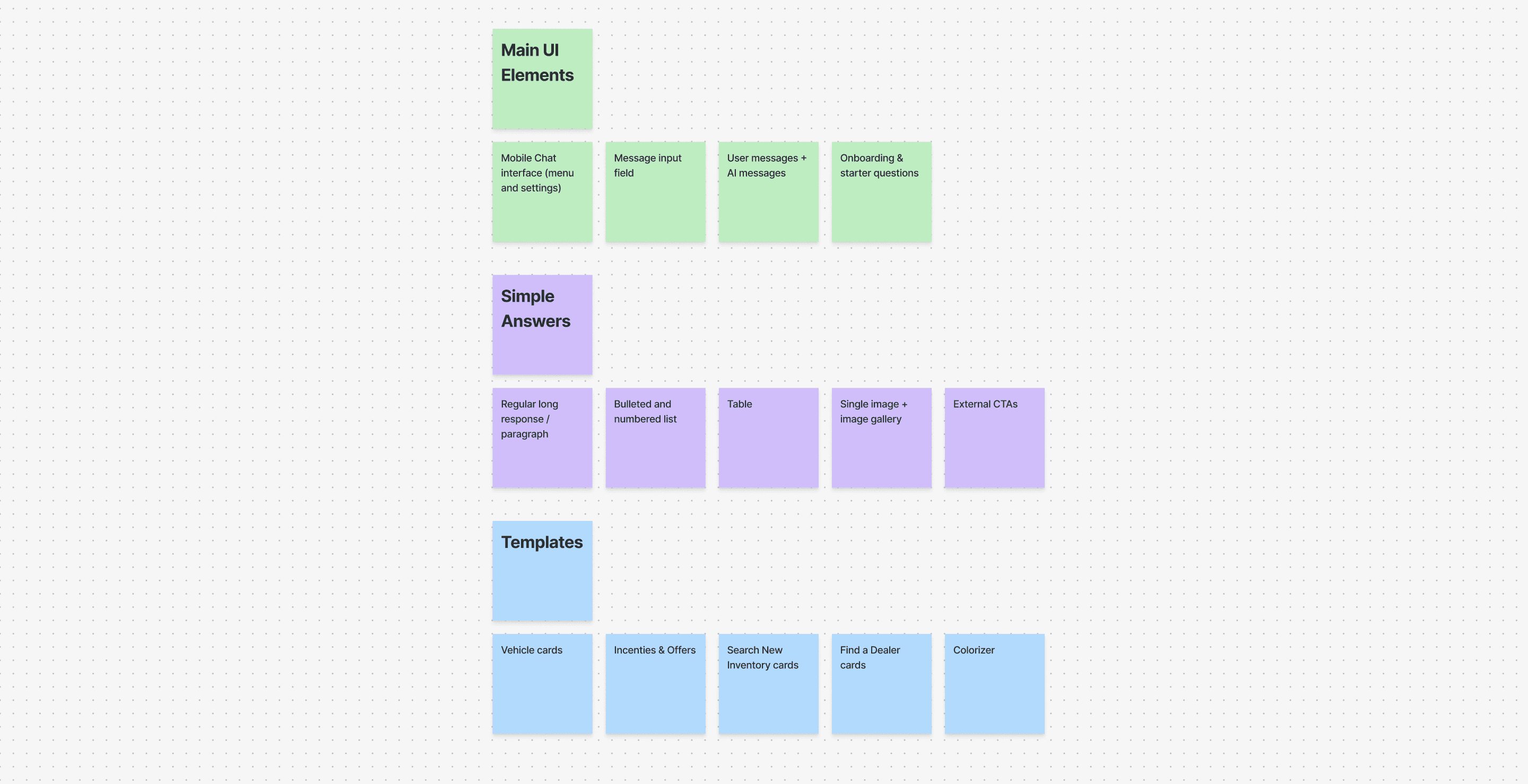
UX Exploration
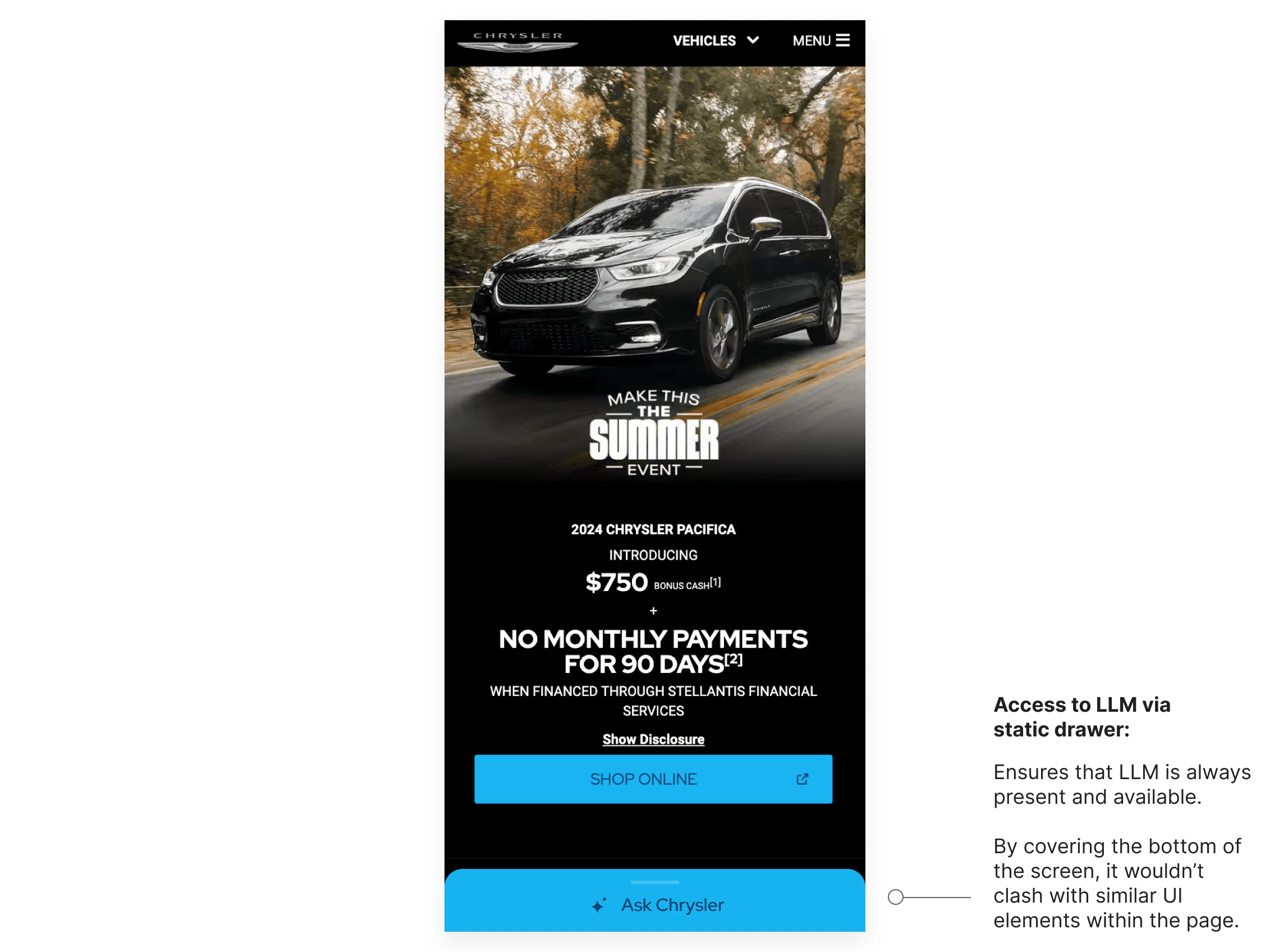
How should users access this LLM interface?
As we were defining our requirements, an important decision was how users should access this LLM. We wanted to make sure that the experience felt cohesive and integrated well in our users' shopping and research journeys. We explored the following options:
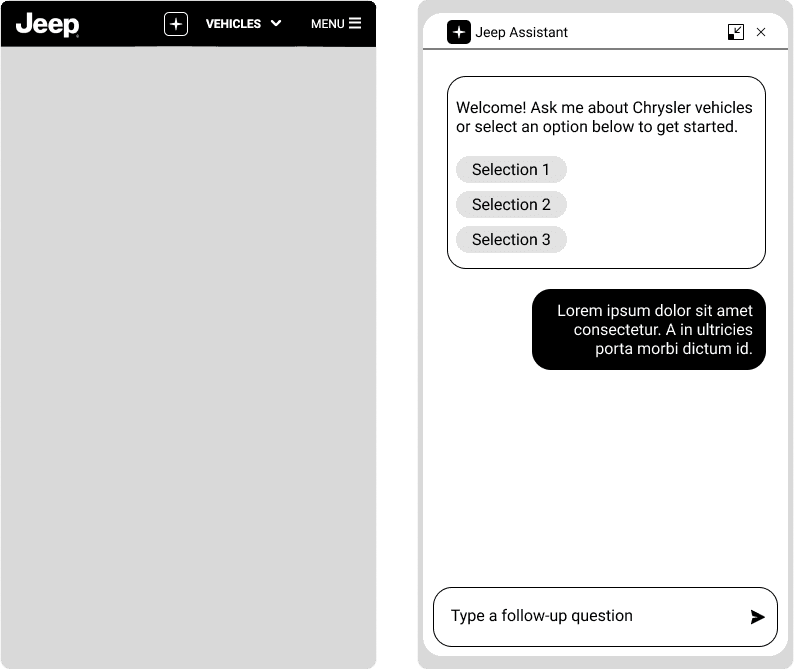
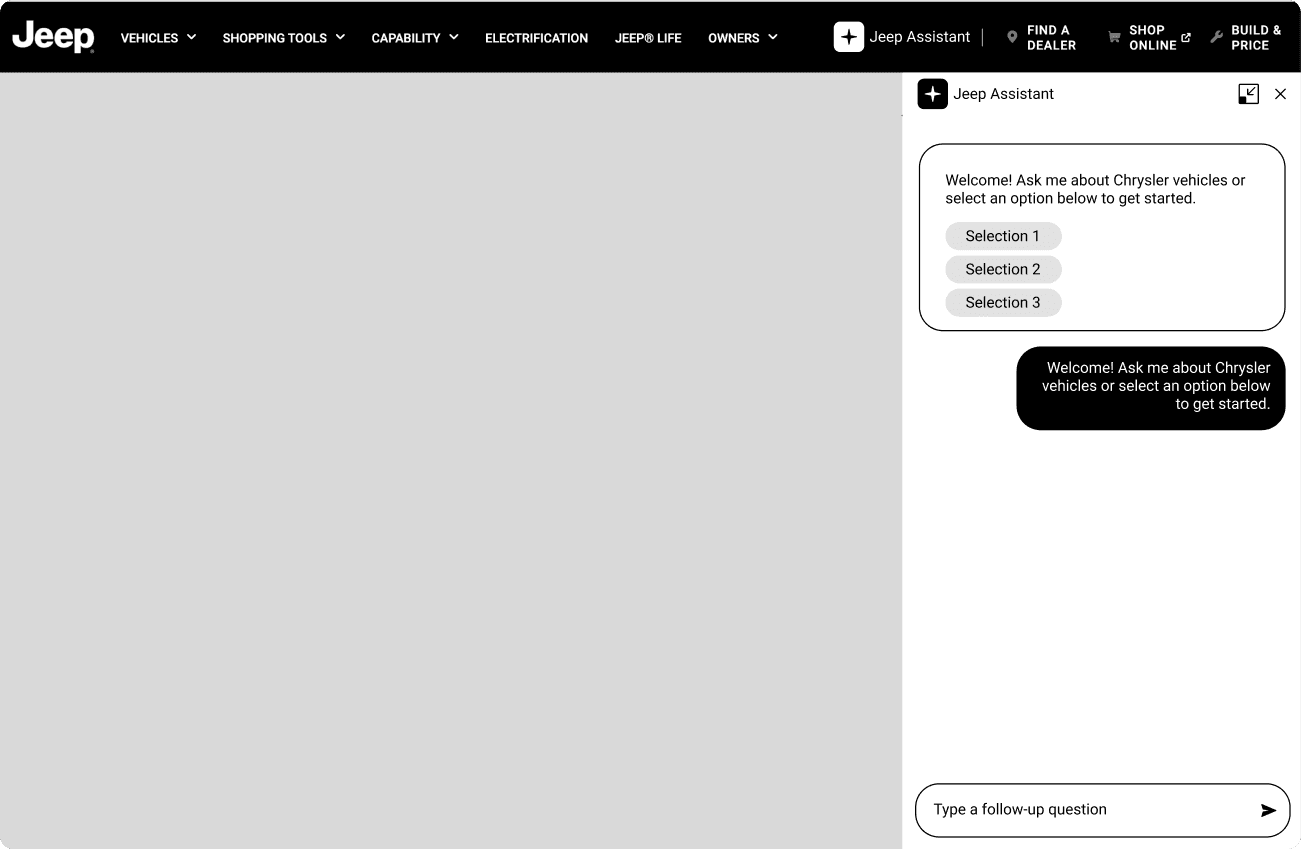
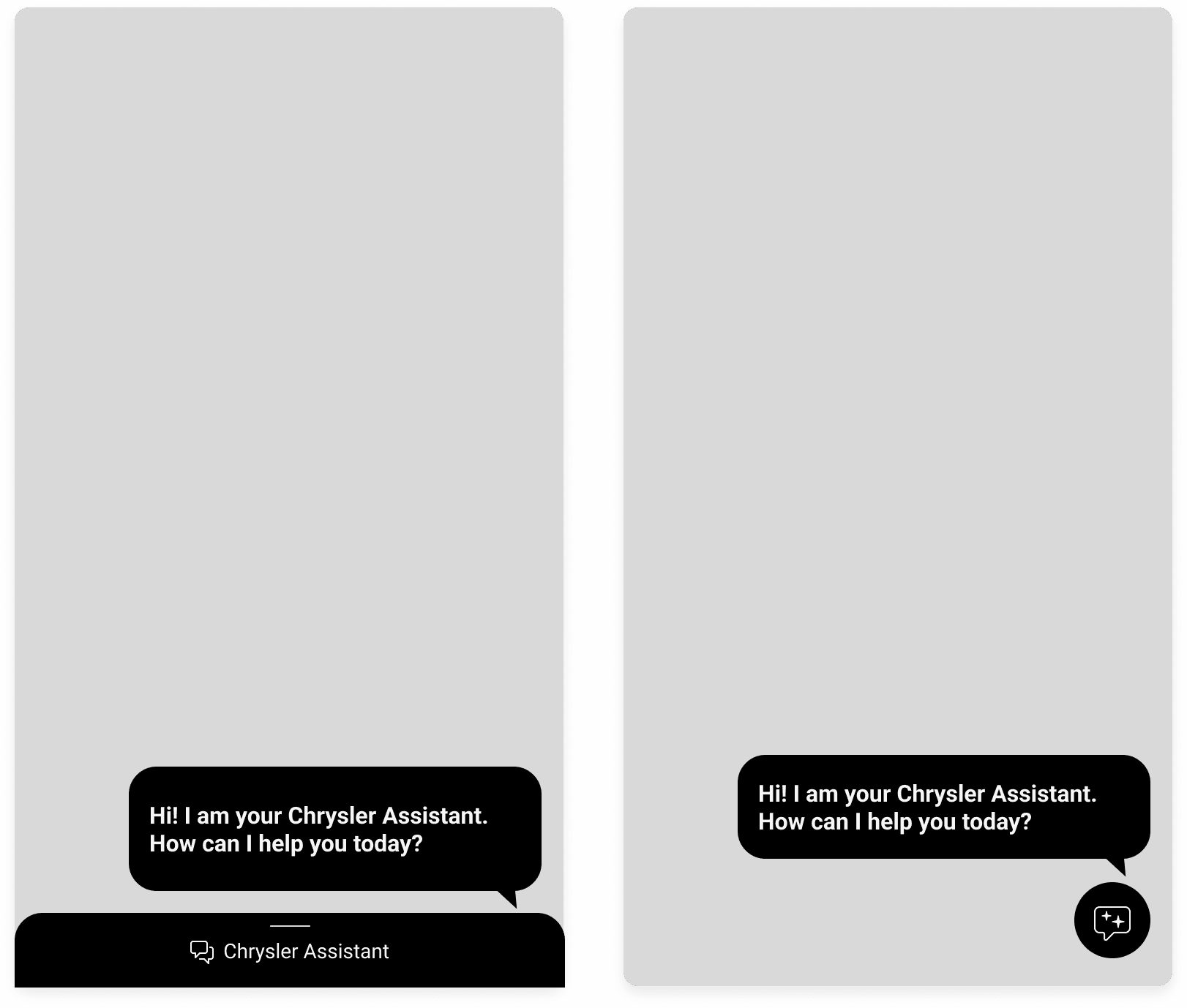
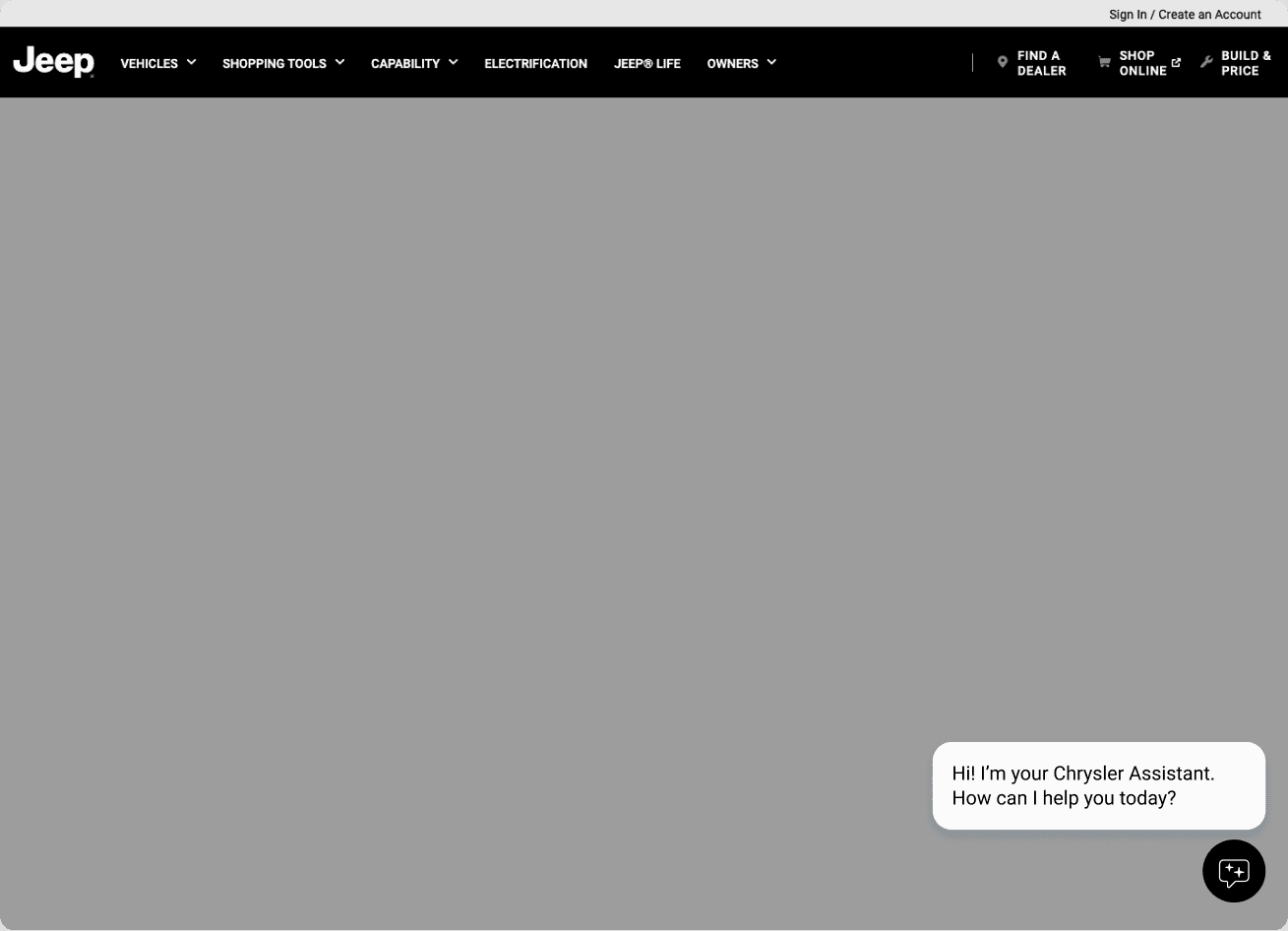
After exploring both options, we presented the concepts to stakeholders and design leads for feedback. The team agreed that the button should feel more visible and inviting to highlight the new AI experience.
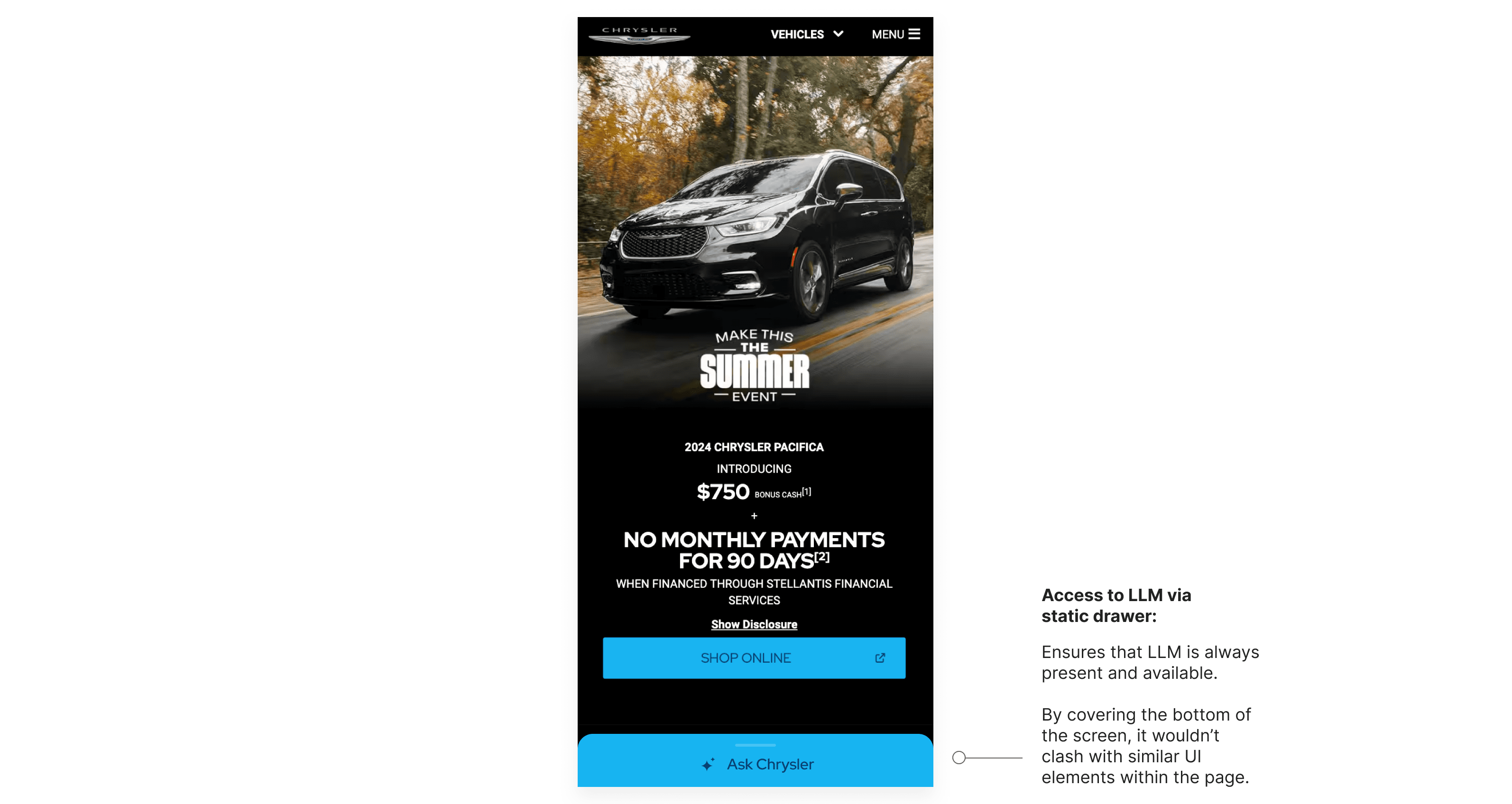
In the end, we moved forward with the floating action button approach (option 2), as it struck the right balance between visibility, accessibility, and maintaining a clean, modern layout.
Design
Now that we had a clear idea on what the user experience would be like, we moved on to honing down what the UI would actually look like. This was a challenging yet gratifying experience, since we had to work with the constraints of Stellantis' main brands (Jeep, Chrysler, Dodge, and Ram), while also elevating the look to match that of what is expected from an LLM interface.
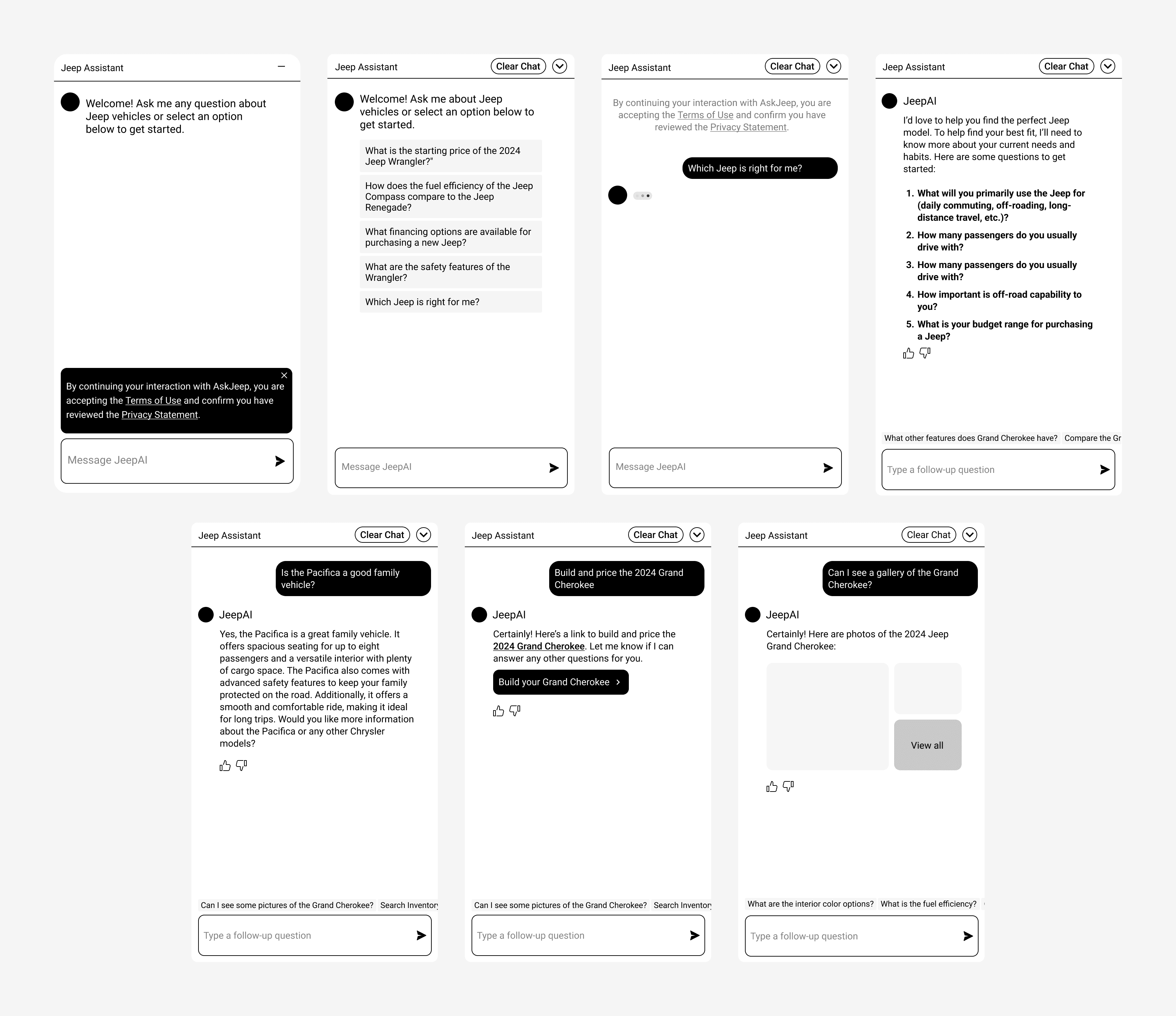
Low-Fidelity Wireframes
Creating wireframes was crucial to allow us to understand what types of answers we would be receiving, and to use as a framework to design for all these scenarios.
Style Iterations
Based on the wireframes, I then explored different UI style directions. I had to balance a clean and modern design, while still being true to our 4 key brands: Chrysler, Jeep, Dodge, and Ram.
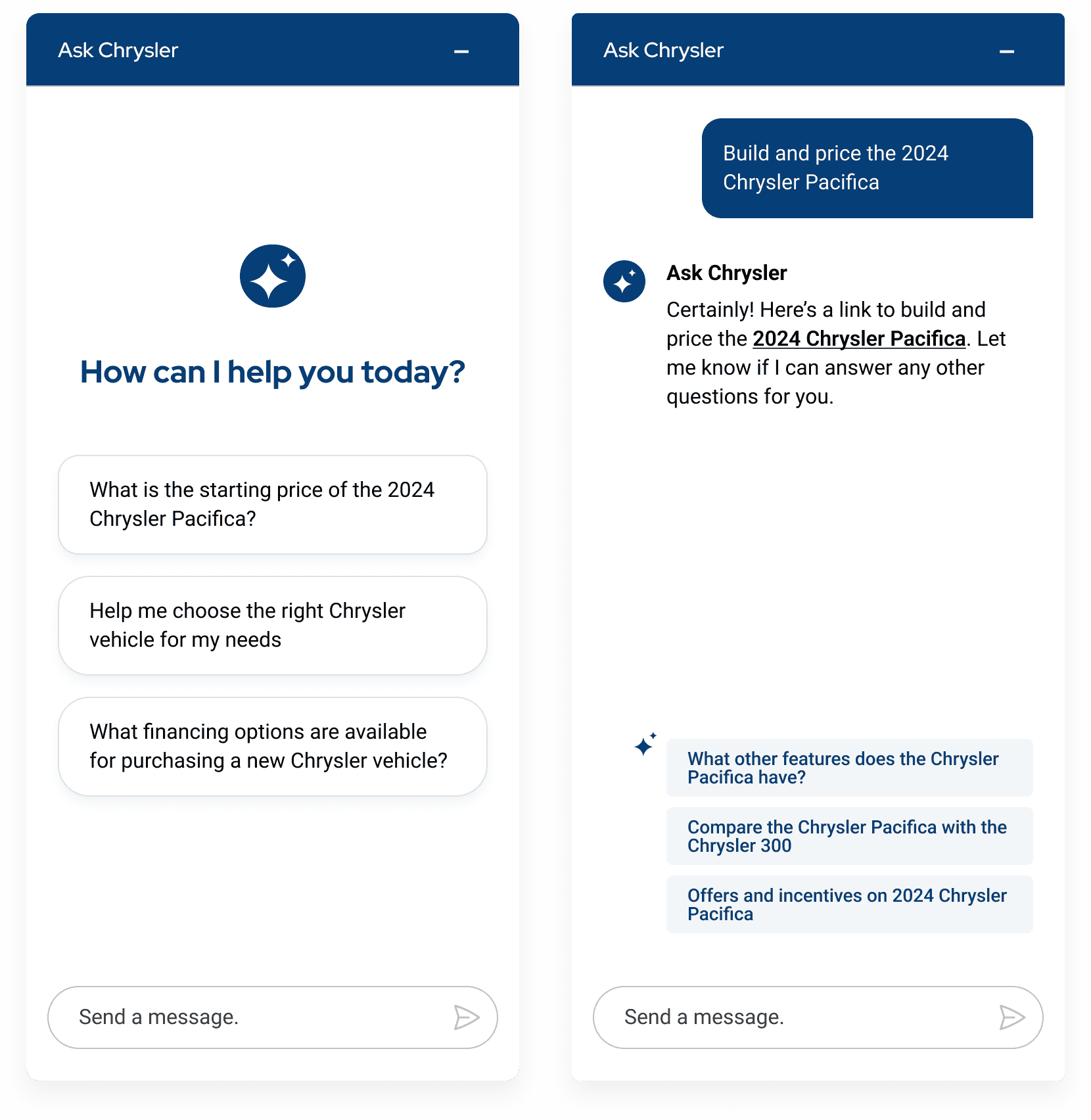
We explored using Chrysler's brand color more prominently, but the style looked awkward and outdated.
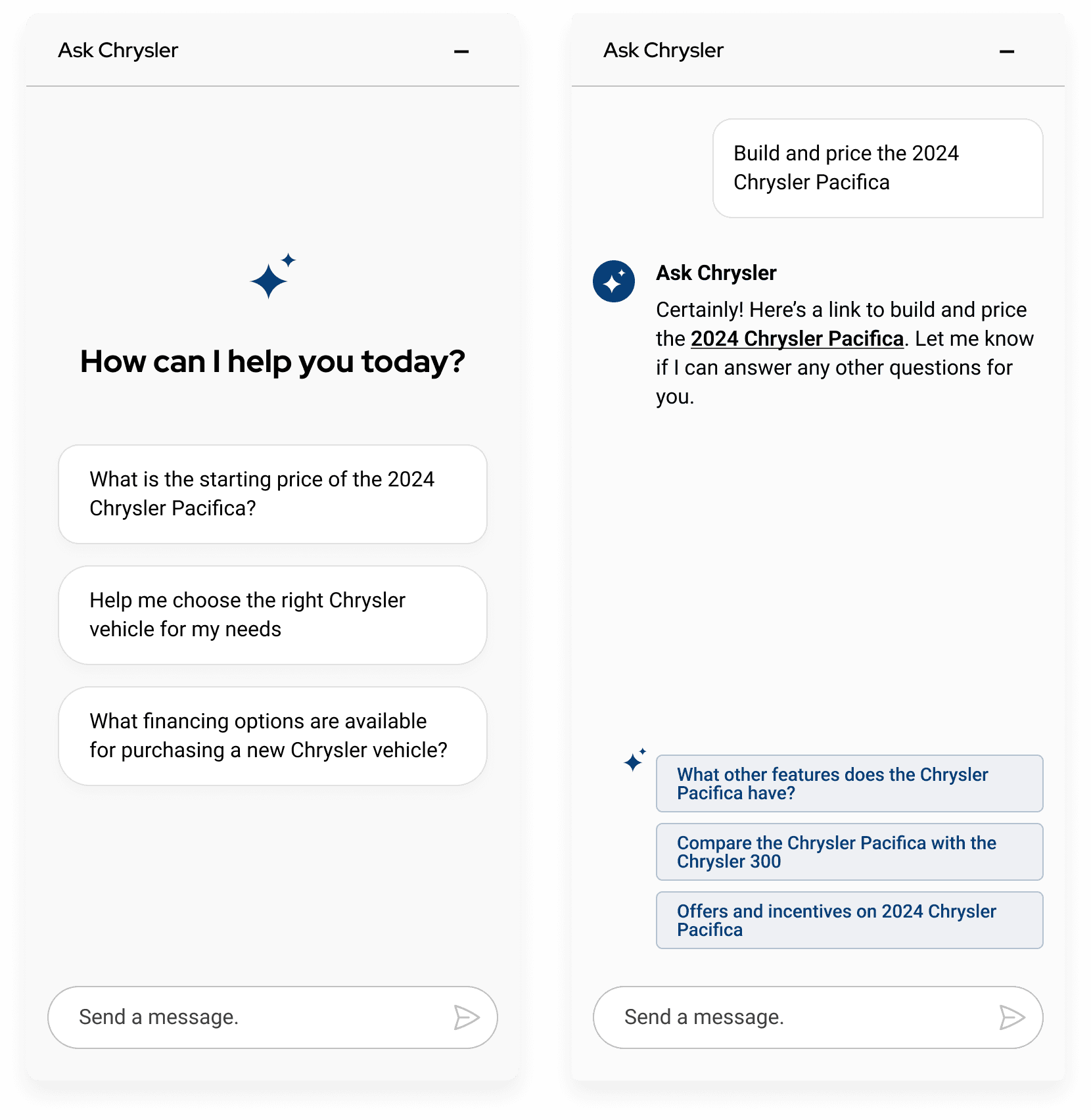
We also played around with gray backgrounds and a use of subtle borders, but UI looked boring and uninspiring.
Final UI
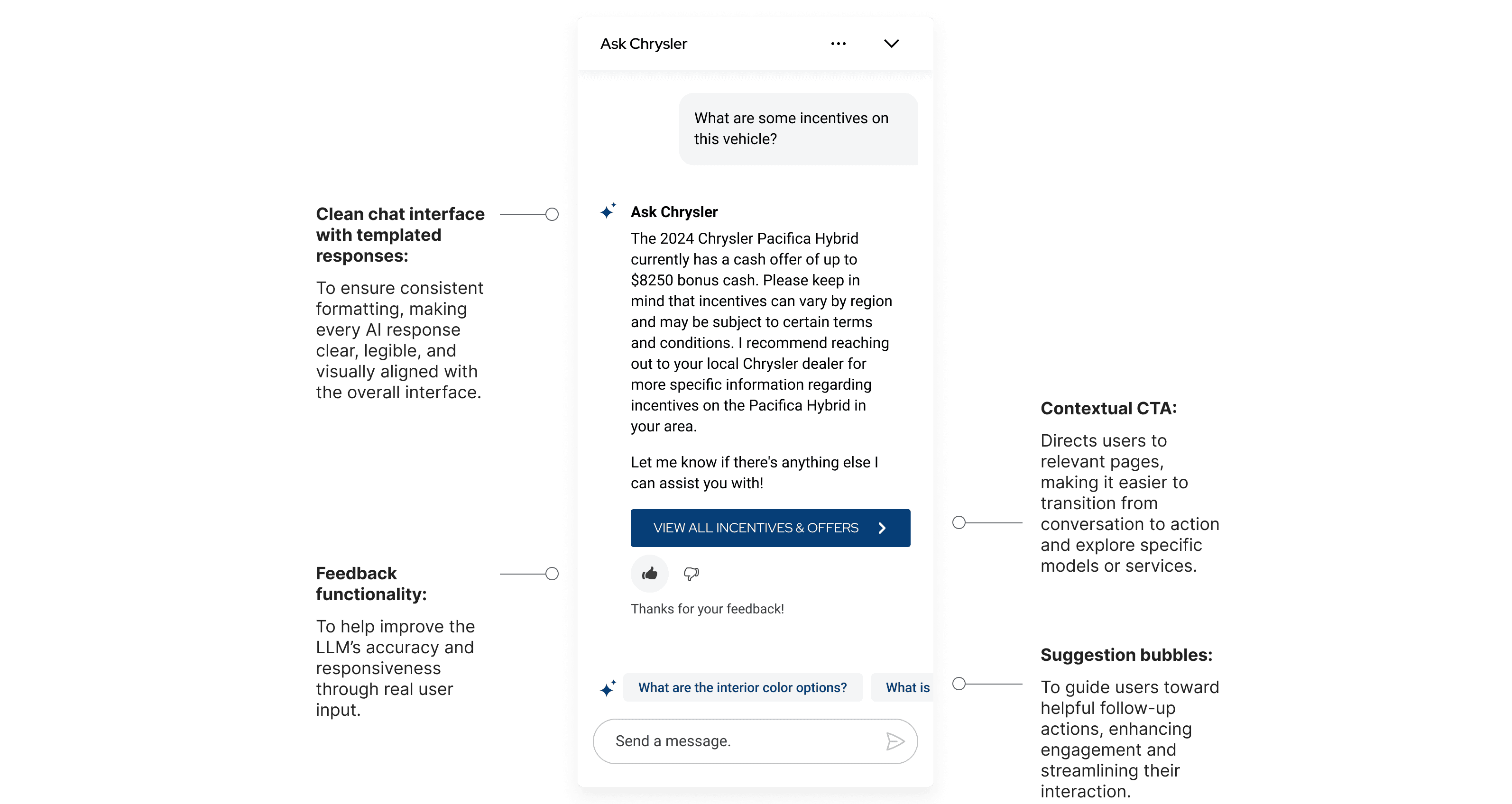
In the end, we decided on a style that felt modern and elegant as would be expected from an AI experience, while still using subtle brand tones that could easily adapt to any of Stellantis' brands.
Templated Answers
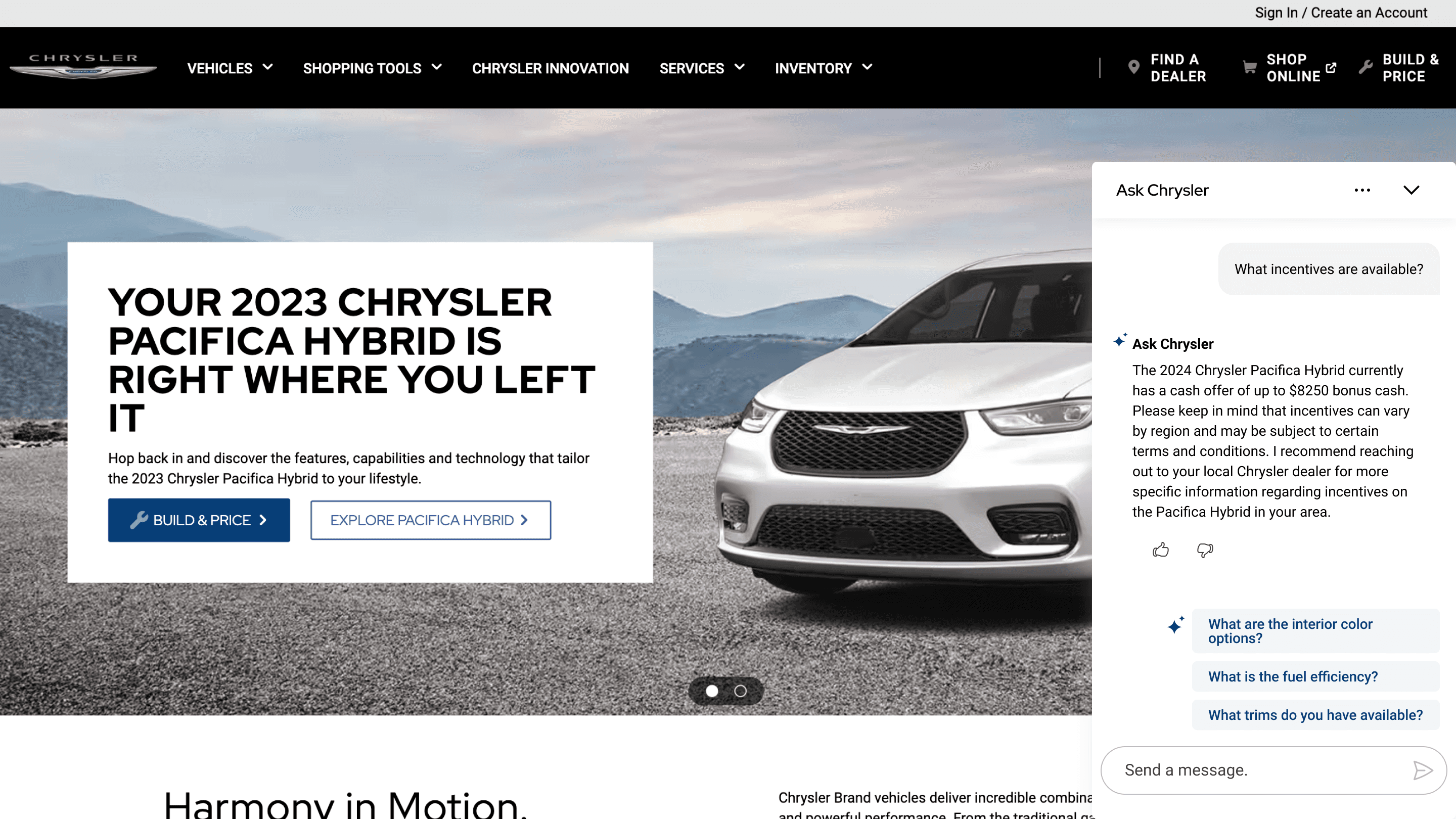
We developed a system of templated response formats tailored to the initial requirements we had defined in the early design stages. By designing these components early on, we ensured that the interface could consistently present information in a clean, readable, and user-friendly way, regardless of the type of content returned by the AI. This approach not only enhanced visual clarity but also supported scalability and maintainability, allowing the interface to adapt seamlessly to different types of queries and outputs.
Desktop Mockups
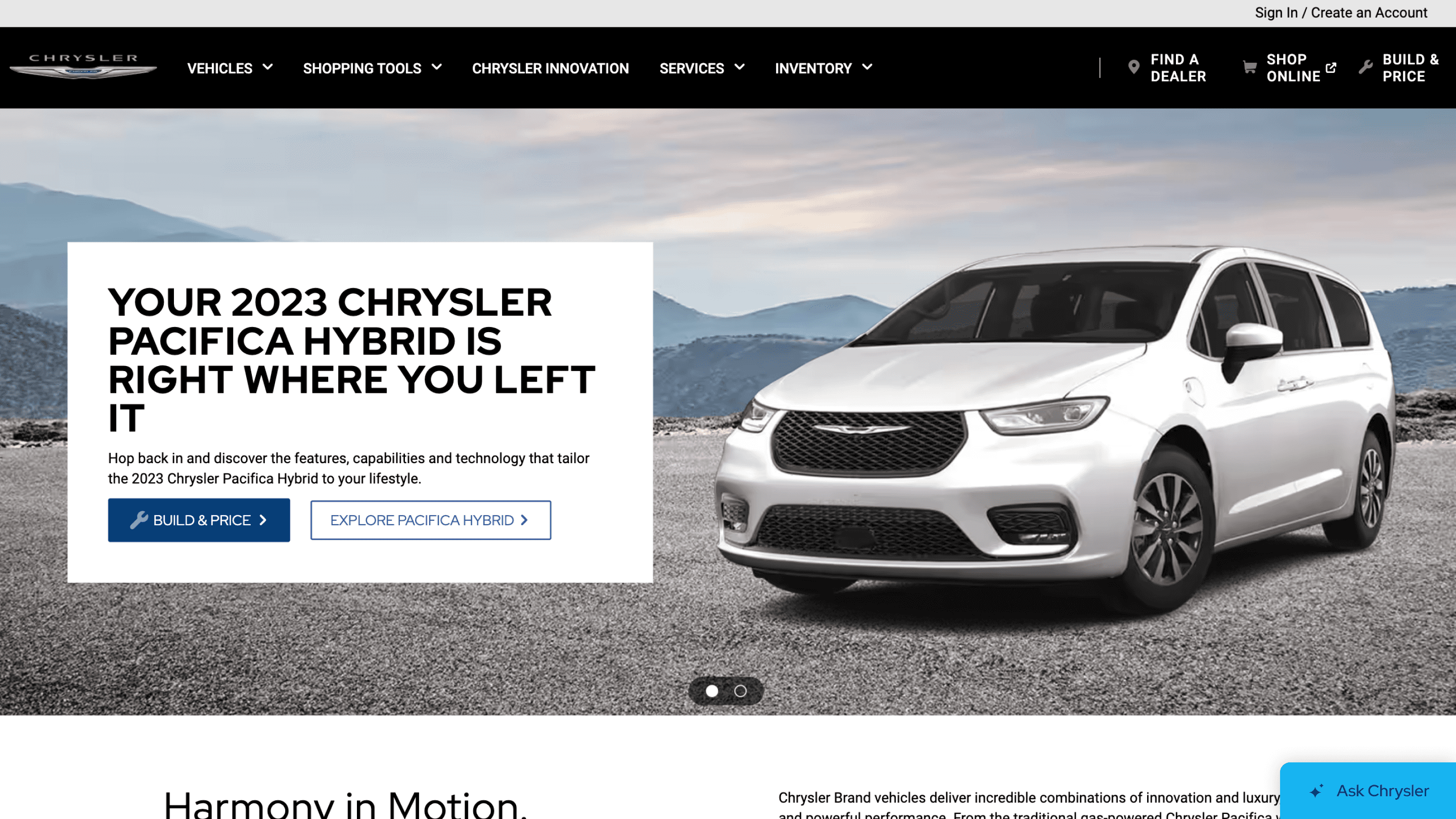
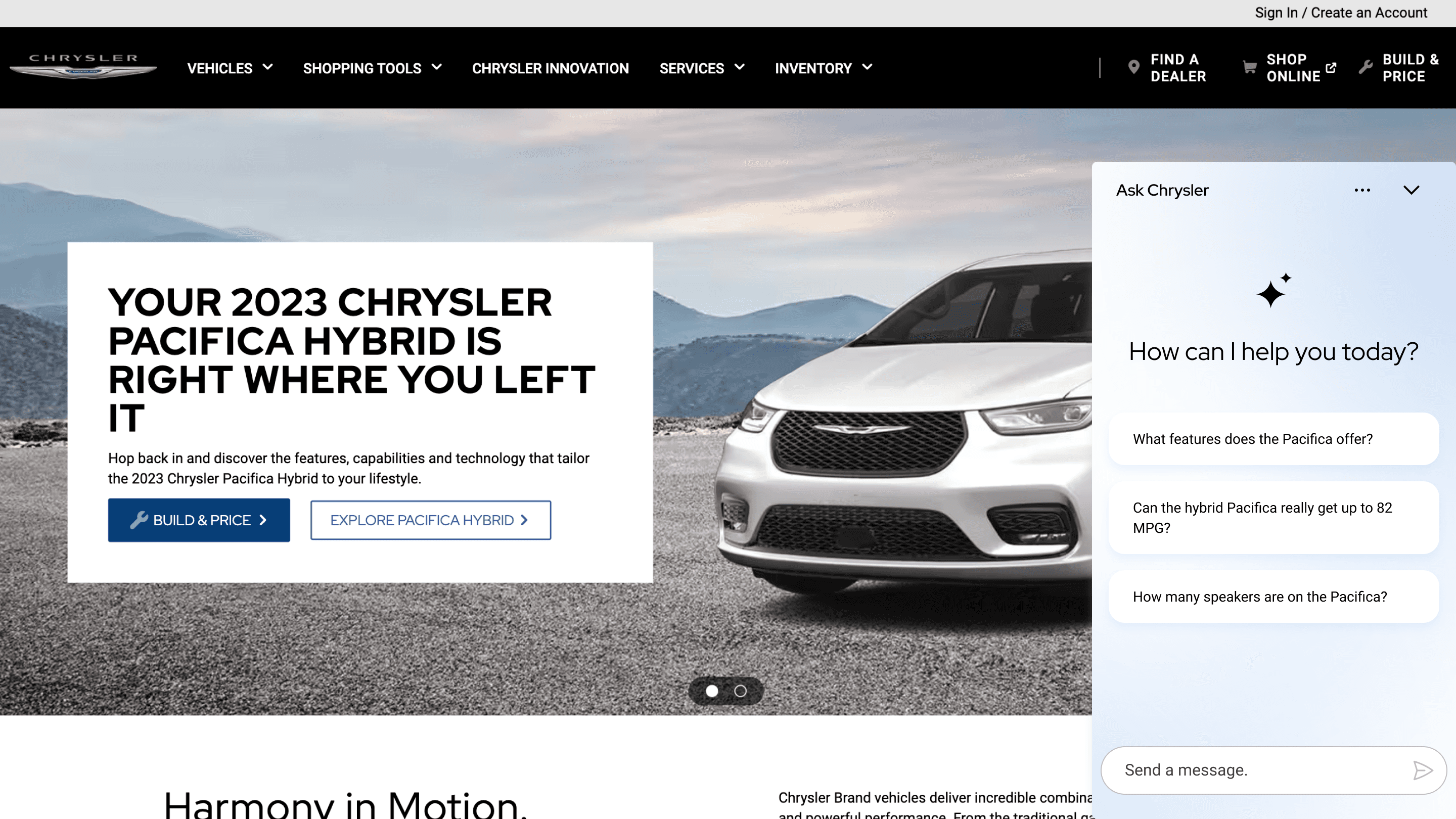
Finally, we adapted the mobile designs to desktop. To align with common chat standards, we placed the LLM button on the bottom-right side of the page.
Final Prototype
Results
Dec 2025
Ask Chrysler live in production
Two years in the making, now live.
Ask Chrysler launched in December 2025, capping a two-year effort that included navigating legal and compliance approval. This was a major milestone for Stellantis' first LLM-powered feature.
1 → 4
Brands adopting the experience
From one brand to four.
The experience is now live on Dodge, with Ram and Jeep rollouts following shortly, validating an early design decision to build a modular, token-based UI framework flexible enough to adapt to each brand's identity without a redesign each time.
First
LLM-powered feature at Stellantis
What's next.
Quantitative engagement data is still being gathered since launch.
What's already clear: a high-visibility, executive-backed initiative that shipped successfully and is scaling across Stellantis' brand portfolio, which opens the door to a broader AI roadmap for the digital ecosystem.
Reflections and Takeaways
Early research is crucial.
Even with our limited timeline, doing early competitive research and research on designing for LLMs was incredibly important. Our research defined our UX and UI guidelines, helped us have a clear design direction, and ensured we aligned with current standards for LLMs.
Communicate constantly with devs.
Having daily conversations and check-ins with our devs was imperative to ensure we were aligned. This close collaboration helped us make sure our designs were modern and innovative, while still being feasible.
Stay flexible.
LLMs and AI products in general are in an incredibly rapidly evolving field. As designers, we had to adjust accordingly, and maintain an open mind as we created different design iterations. We ensured our UI designs were modular and scalable, and could adapt to any changes in the future.